

Troubleshooting Guide
Electric Pallet Jack Troubleshooting Guide
Diagnose common electric pallet jack problems, perform operator-safe quick checks before calling service, and reduce unplanned downtime with preventive maintenance routines.
Quick Reference
Most common symptoms at a glance. Scroll down to the full section for detailed procedures.
| Symptom | Most Likely Cause | First Check | Action |
|---|---|---|---|
| Unit won't turn on | Discharged battery or E-stop engaged | Release E-stop; check battery voltage | Charge battery or replace fuse ↓ |
| Battery won't charge | Charger or connector fault | Inspect connector; verify voltage match | Replace charger or battery ↓ |
| Won't move | Handle position or throttle fault | Lower handle to operating range | Check throttle; inspect drive fuse ↓ |
| Forks won't lift | Low hydraulic fluid or pump fuse | Check fluid level; listen for pump | Refill fluid; check fuse ↓ |
| Forks drift down under load | Worn cylinder seals | Raise forks; observe drift rate | Replace seals; tighten fittings ↓ |
| Squeaking wheels | Dry bearings or debris on axle | Spin wheels by hand; inspect axles | Replace bearings; remove debris ↓ |
Power & Battery Issues
Most electric pallet jack problems trace back to the battery or charging system. Start here if the unit won't power on, charges slowly, or runs out of power mid-shift.
Electric pallet jack won't turn on
Symptoms
- Key switch or power button has no response
- No lights on the control panel or display
- No sounds at all when attempting to start
Likely Causes
- Emergency stop button is still engaged
- Battery is fully discharged or below minimum voltage
- Battery connectors are loose, corroded, or improperly seated
- Main fuse is blown
- Key switch or power button is faulty
Quick Checks Operator
- Confirm the emergency stop (E-stop) button is released — twist or pull it out fully.
- Inspect the battery connector. Disconnect and reconnect it firmly. Look for corrosion on the terminals.
- Locate and inspect the main fuse (typically near the battery compartment). Replace if blown.
Corrective Actions Technician
- Measure battery voltage with a multimeter. A 24V system should read at least 22V; a 48V system at least 44V. If below, the battery is too discharged to operate — charge fully and retest.
- If the connector is corroded, clean the terminals with a battery terminal cleaner and apply dielectric grease.
- If the fuse is blown, replace it with the same amperage rating. If the replacement fuse blows immediately, do not continue — there is a short circuit that requires diagnosis.
- Test the key switch by turning it on and off. Listen for a relay click. If no click, the switch may need replacement.
- If none of these steps restore power, the controller board requires inspection.
Escalate to Service If
- You smell burning plastic or see scorched wiring near the battery or controller
- Replacement fuse blows immediately upon power-on
- Controller board shows no signs of life after confirmed good battery
Battery won't charge or charges slowly
Symptoms
- Charger does not indicate active charging when connected
- Charge cycle takes significantly longer than usual (8+ hours for a battery that normally charges in 4–6)
- Battery indicator stays low or drops quickly after a "full" charge
Likely Causes
- Charger plug or receptacle is damaged or misaligned
- Charger voltage does not match the battery (24V vs 48V)
- Battery cells are failing (reduced capacity)
- Charger itself is malfunctioning
- Ambient temperature is too high or too low for charging
Quick Checks Operator
- Confirm the charger LED or display shows it is receiving power. If no indicator lights, check the wall outlet.
- Inspect the charging connector for bent pins, debris, or damage. Clean with compressed air if needed.
- Verify the charger voltage rating matches the battery voltage.
Corrective Actions Technician
- Check the battery water level (lead-acid only). Low electrolyte reduces charging efficiency. Top off with distilled water if cells are exposed.
- Try a different charger if available. If the second charger works, the original is faulty — replace it.
- If the battery consistently fails to hold charge after a full cycle, it is past its service life and should be replaced.
- For lithium-ion packs, consult the manufacturer for battery management system (BMS) diagnostics.
Escalate to Service If
- Lead-acid battery is swelling, leaking acid, or producing excessive gas during charging
- Battery charger displays a persistent fault code
- Battery temperature exceeds safe limits during charge (hot to the touch)
Battery drains too quickly during use
Symptoms
- Battery gauge drops rapidly during normal operations
- Unit shuts down before the end of a shift
- Performance (speed, lift power) degrades noticeably as battery level falls
Likely Causes
- Battery capacity has degraded due to age or repeated deep discharges
- Drive motor or hydraulic pump is drawing excessive current
- Brakes are partially engaged, creating constant drag
- Wiring issue causing parasitic draw
Quick Checks Operator
- Charge the battery fully and time how long it lasts under normal load. Compare to manufacturer specs.
- Push the unit manually with the power off. If there is significant resistance, the brake may be partially engaged.
- Listen for unusual motor noise during operation. A whining or grinding motor draws more current than normal.
Corrective Actions Technician
- With the unit powered off and battery connected, measure current draw with a clamp meter. Any draw above 0.5A indicates a parasitic issue.
- If capacity is below 70% of the manufacturer rating, replace the battery.
- If the motor or hydraulic pump is the root cause, schedule a service inspection for worn bearings or internal friction.
Escalate to Service If
- Parasitic current draw cannot be traced to a specific circuit
- Motor draws excessive current under no-load conditions
Drive / Travel Issues
When your electric pallet jack won't move, moves erratically, or drives slower than normal, the problem usually lies in the drive motor, throttle, or controller.
Electric pallet jack won't move forward or reverse
Symptoms
- Motor does not engage when throttle is applied
- Unit powers on but will not drive in either direction
- Audible relay click but no motor movement
Likely Causes
- Handle is in the upright (neutral/brake) position
- Throttle lever or butterfly switch is faulty or disconnected
- Drive motor fuse or contactor has failed
- Electromagnetic brake is not releasing
- Controller has entered a protective fault mode
Quick Checks Operator
- Lower the control handle to the operating position. Most units only drive when the handle is between approximately 30° and 70° from horizontal.
- Check the throttle or butterfly switch. Move it through its full range — note if it feels loose, stiff, or unresponsive.
- Power cycle the unit: key off, wait 10 seconds, key on. This can clear temporary controller faults.
Corrective Actions Technician
- Inspect the drive motor fuse (usually found on the controller or in a fuse panel). Replace if blown.
- If the unit has a display, check for fault codes and refer to the operator manual.
- If the throttle is faulty, replace the throttle assembly.
- If the fuse blows repeatedly, there is likely a short in the drive circuit — do not continue replacing fuses. Inspect wiring and controller.
- If the electromagnetic brake is stuck, it may need adjustment or replacement.
Escalate to Service If
- The pallet jack moves unexpectedly or the throttle does not return to neutral on its own
- Drive fuse blows repeatedly
- Controller displays a persistent fault code after power cycling
Slow travel speed or reduced power
Symptoms
- Unit moves but noticeably slower than usual
- Struggles on slight inclines that were previously manageable
- Speed does not increase when throttle is fully applied
Likely Causes
- Low battery charge (most units reduce speed automatically below 30%)
- Speed setting has been changed (turtle mode / slow speed)
- Drive wheel is worn smooth and losing traction
- Motor brushes are worn (brushed DC motors)
- Controller is limiting speed due to an unresolved fault
Quick Checks Operator
- Check the battery level. Charge and retest if below 30%.
- Look for a speed selector switch or turtle mode button on the control head. Ensure it is set to normal speed.
- Inspect the drive wheel. If the tread is worn flat or the rubber is cracked and hardened, it needs replacing.
Corrective Actions Technician
- Replace the drive wheel if tread is worn — this is the most common cause of slow travel.
- Check motor brushes for wear. Brushes shorter than the manufacturer minimum length should be replaced in pairs. Inspect the commutator for scoring.
- If the controller is limiting speed due to a fault, diagnose and clear the fault before testing speed.
Escalate to Service If
- Speed remains reduced after full charge, new drive wheel, and fault clearing
- Motor commutator is deeply scored or discolored
Jerky or erratic movement
Symptoms
- Unit lurches forward or backward when throttle is applied
- Speed fluctuates without changing throttle input
- Intermittent loss of drive during travel
Likely Causes
- Throttle potentiometer is worn or has a dead spot
- Loose wiring connection to the controller or motor
- Worn motor brushes making intermittent contact
- Controller is intermittently faulting and resetting
Quick Checks Operator
- Move the throttle slowly through its full range. If the unit surges at certain positions, the throttle potentiometer is likely worn.
- Attempt to reproduce the issue consistently. Random, intermittent surging points to a wiring or connection problem.
Corrective Actions Technician
- With the unit powered off, check all wiring connections to the controller and motor for looseness. Tighten any loose terminals.
- Replace the throttle assembly if potentiometer dead spots are confirmed.
- Inspect motor brushes and replace if worn below minimum length.
Escalate to Service If
- Issue persists after throttle replacement and wiring inspection
- Controller requires professional diagnostics or reprogramming
Lift & Hydraulic Issues
Hydraulic problems affect your ability to raise, lower, and hold loads safely. If forks lift slowly, drift down under load, or you notice fluid on the floor, start here.
Forks won't lift at all
Symptoms
- Pressing the lift control produces no fork movement
- Hydraulic pump motor does not engage (no sound)
- Pump motor runs but forks do not rise
Likely Causes
- Hydraulic fluid level is too low
- Lift switch or button is faulty
- Hydraulic pump motor fuse is blown
- Relief valve is stuck open (fluid bypasses the cylinder)
- Hydraulic pump has failed internally
Quick Checks Operator
- Check the hydraulic fluid reservoir via the sight glass or dipstick. If low, top off with the correct hydraulic oil (typically ISO 32 or ISO 46 — check your manual).
- Listen when pressing the lift button. If you hear the pump motor run, the electrical side is working — the issue is hydraulic.
- Inspect the lowering valve (usually a lever or knob near the control handle). If not fully closed, fluid will bypass the cylinder.
Corrective Actions Technician
- If no pump motor sound, check the lift motor fuse and replace if blown.
- Look under the unit for visible hydraulic fluid leaks — puddles or wet spots on hoses, fittings, or the cylinder.
- Clean or replace the relief valve if fluid is bypassing under pressure.
- If the pump runs but produces no pressure, the pump may need rebuilding or replacement.
Escalate to Service If
- Pump motor runs but produces zero lift force
- Internal pump failure is suspected (no pressure output)
Forks lift slowly or unevenly
Symptoms
- Forks rise noticeably slower than normal, especially under load
- One fork rises higher than the other
- Pump motor sounds strained or louder than usual
Likely Causes
- Hydraulic fluid is low or contaminated
- Air in the hydraulic system
- Worn cylinder seals allowing internal bypass
- Hydraulic filter is clogged
- Battery too low to power the pump motor at full speed
Quick Checks Operator
- Check and top off hydraulic fluid. If the fluid looks milky or has particles, it is contaminated.
- Bleed air: raise and lower the forks several times without a load to cycle air out.
- Check the battery charge — a weak battery can cause sluggish pump performance.
Corrective Actions Technician
- If fluid is contaminated, drain and replace the hydraulic fluid and filter.
- If one fork rises unevenly with a centered load, inspect the cylinder alignment.
- If forks continue to lift slowly with fresh fluid and a full battery, cylinder seals or the pump may need service.
Escalate to Service If
- Uneven lifting persists with centered loads after fluid replacement
- Pump motor sounds abnormal (grinding, cavitation noise)
Forks drift down under load (hydraulic leak)
Symptoms
- Forks slowly lower on their own while holding a load
- Visible hydraulic fluid on the floor under the unit
- Forks hold position unloaded but drift when loaded
Likely Causes
- Worn or damaged cylinder seals (most common)
- Lowering valve not closing completely
- External hydraulic hose or fitting leak
- Crack in the hydraulic cylinder
Quick Checks Operator
- Raise the forks to full height without a load and observe. If they drop more than 25 mm (1 in.) in 10 minutes, there is an internal leak.
- Inspect all hydraulic hose connections and fittings for wetness or dripping.
- Check the lowering valve — ensure it is fully closed when not actively lowering.
Corrective Actions Technician
- Place a clean sheet of cardboard under the unit and run it for 15 minutes to identify the exact leak location.
- Tighten any loose fittings. Replace O-rings at leaking connections.
- If internal cylinder leak is confirmed, replace the cylinder seal kit.
- If the cylinder body is cracked or scored, it needs full replacement.
Escalate to Service If
- Fork drift exceeds 25 mm in 10 minutes — unit is a load drop hazard
- Cylinder body is cracked or deeply scored
- Internal seal replacement is beyond in-house capability
Controls & Error Behavior
Control issues range from an unresponsive handle to intermittent shutdowns. These problems often involve the controller, wiring, or safety interlock systems.
Control handle or buttons unresponsive
Symptoms
- Throttle, lift, lower, or horn buttons do not respond
- Some controls work while others do not
- Controls work intermittently
Likely Causes
- Wiring harness in the handle is damaged (common from rough use or drops)
- Water or debris ingress in the control head
- Switch or button has failed mechanically
- Control head connector is loose or corroded
Quick Checks Operator
- Power cycle the unit and retest all controls systematically.
- Check the cable running from the control head to the body for pinch points, cuts, or exposed wiring.
Corrective Actions Technician
- Disconnect and reconnect the control head connector (if accessible). Check for corrosion or bent pins.
- If only some controls are unresponsive, the issue is likely a specific switch — replace individually.
- If the wiring harness is damaged, replace it as a complete assembly. Avoid splicing wires in the handle area.
Escalate to Service If
- Full control head replacement is needed
- Water damage to the controller board is suspected
Intermittent power loss or unexpected shutdowns
Symptoms
- Unit shuts off randomly and restarts when key is cycled
- Display flickers or goes blank momentarily
- Power cuts out when going over bumps or rough surfaces
Likely Causes
- Battery connector is loose — vibration causes momentary disconnection
- Battery cable terminals are corroded
- Controller thermal shutdown (overheating)
- Key switch has a worn internal contact
Quick Checks Operator
- Check the battery connector. Disconnect, inspect for corrosion, and reconnect firmly.
- Feel the controller housing after a shutdown. If very hot, allow it to cool and check for blocked ventilation.
Corrective Actions Technician
- Inspect all cable terminals at the battery and controller. Tighten any loose connections.
- Reproduce the issue by gently wiggling the battery connector and key switch while the unit is running. If power cuts out, you have found the loose connection.
- Replace the battery connector if contacts are worn. Replace the key switch if the internal contact is faulty.
- If the controller is overheating, ensure ventilation is not blocked. Clear debris from the controller housing.
Escalate to Service If
- Thermal shutdowns persist after clearing ventilation
- Controller may be undersized for the duty cycle
- Motor draws excessive current (requires bench testing)
Emergency stop keeps engaging or won't release
Symptoms
- E-stop button feels stuck or does not fully release when twisted/pulled
- Unit behaves as if E-stop is engaged even though button appears released
- Safety interlock indicator stays on
Likely Causes
- E-stop switch is mechanically stuck due to debris or damage
- E-stop wiring is broken or has a poor connection
- Belly button (reverse-direction safety switch) is stuck or damaged
Quick Checks Operator
- Press the E-stop fully in, then release according to type (twist, pull, or press-to-release). Ensure it springs back fully.
- If the unit has a belly button (reverse bumper), press and release it. Confirm it moves freely.
Corrective Actions Technician
- Inspect the wiring to the E-stop switch for pinched or cut wires.
- Free a stuck button by cleaning around it with compressed air.
- If the switch mechanism is broken, replace the E-stop assembly.
- The belly button switch is a common wear item — replace if it does not spring back.
Wheels & Load Handling
Worn wheels, squeaking, vibration, and steering problems affect safety and efficiency. Address these before they cause larger issues.
Squeaking, grinding, or noisy wheels
Symptoms
- Audible squeaking or squealing during travel
- Grinding or scraping sound from one or more wheels
- Noise increases when turning or under load
Likely Causes
- Wheel bearings are dry, worn, or failing
- Foreign material (strapping, shrink wrap, wire) wrapped around the axle
- Wheel tread is worn down to the hub
- Load roller or caster is damaged
Quick Checks Operator
- Visually inspect all wheels — drive wheel, load rollers, and casters. Look for flat spots, cracks, and missing rubber.
- Check for debris wrapped around axles. Cut away any strapping, wire, or shrink wrap.
Corrective Actions Technician
- Spin each wheel by hand. Grinding or rough spots indicate bearing failure.
- Rock each wheel side-to-side. Excessive play indicates a worn bearing.
- Replace wheels with flat spots, missing tread, or worn below minimum diameter.
- Replace bearings that are rough, noisy, or have play. Grease serviceable bearings per schedule.
Escalate to Service If
- Drive wheel bearing requires a press for removal (shop-level repair)
- Noise originates from the drive motor or gearbox rather than wheels
Heavy or unresponsive steering
Symptoms
- Steering the handle requires more effort than normal
- Unit does not track straight — pulls to one side
- Steering feels rough or notchy
Likely Causes
- Drive wheel or steer bearing is worn
- Floor debris jammed in the steer mechanism
- Steer axle pivot bushing is dry or worn
- One load roller is locked up, creating drag on one side
Quick Checks Operator
- Raise the drive end so the wheel is off the ground. Turn the handle full range. If it turns smoothly in the air, the issue is load- or surface-related.
- Inspect the steer area for jammed debris, bolts, or strapping.
- Spin all load rollers. A locked roller creates drag and affects tracking.
Corrective Actions Technician
- Clear debris from the steer mechanism. Lubricate the steer pivot bushing if applicable.
- Replace locked load rollers.
- Inspect drive wheel tread — uneven wear causes pulling to one side. Replace if necessary.
Escalate to Service If
- Steer bearing is worn and requires a press for replacement (shop repair)
Load instability or tipping risk
Symptoms
- Loads shift or slide off the forks during travel
- Unit feels unsteady when loaded, especially during turns
- Forks do not sit level when raised
Likely Causes
- Load exceeds the rated capacity
- Load is not centered on the forks
- Fork tips are bent or damaged
- Uneven floor combined with excessive speed
Quick Checks Operator
- Verify the load weight against the capacity plate. Never exceed rated capacity.
- Ensure the load is centered between the forks and pushed fully against the fork heel.
- Travel slowly on uneven surfaces and avoid sharp turns when loaded.
Corrective Actions Technician
- Inspect forks from the side — they should be straight with no visible bend.
- Bent forks must be replaced. Never heat or hammer forks to straighten them — this compromises structural integrity.
- If consistently at capacity limits, recommend upgrading to a higher-capacity unit.
Safety Interlocks & Common Fault Patterns
Electric pallet jacks use several built-in protection behaviors. These are not error codes — they are normal safety responses. Understanding them prevents unnecessary service calls.
| Behavior | Meaning | Likely Trigger | Reset / Resolution | Escalate If |
|---|---|---|---|---|
| Powers on, will not drive | Safety interlock active | Handle fully upright, E-stop engaged, or belly button pressed | Lower handle to 30°–70°; release E-stop; check belly button | Persists after all checks |
| Automatic speed reduction | Battery protection | Battery charge below 30% | Charge the battery | Occurs with full charge |
| Motor cuts out under load | Thermal protection | Controller or motor overheating | Allow 15 min cool-down; clear ventilation | Recurs shortly after cool-down |
| Pump runs, no lift | Hydraulic bypass | Relief valve open or fluid critically low | Close valve; check fluid level | Pump is damaged internally |
| Intermittent power loss | Loose connection | Battery connector vibrating free | Reseat connector; tighten terminals | Wiring fault requires tracing |
Maintenance & Safety
Preventive maintenance catches problems early and keeps your pallet jack running reliably. Use these checklists to establish a routine.
Daily pre-shift inspection checklist
Before each shift, verify the following
- Battery charge level is adequate for the shift (above 30%).
- All controls respond correctly — throttle, lift, lower, horn.
- E-stop button functions properly (press and release).
- Forks raise, lower, and hold position without drift.
- No visible hydraulic fluid leaks.
- Wheels are in good condition with no flat spots or debris.
- Warning lights and indicators function correctly.
- No unusual sounds during a brief test drive.
Weekly and monthly maintenance tasks
Weekly
- Clean the unit — remove dust, debris, and shrink wrap from wheels and chassis
- Check battery water level (lead-acid) and top off with distilled water if needed
- Inspect battery cable terminals for corrosion
- Verify the charger completes a full charge cycle without faults
Monthly
- Check hydraulic fluid level and condition (clarity, absence of particles)
- Inspect all wheels for wear — measure tread depth against minimum specs
- Lubricate steer pivot and any grease fittings per manufacturer specs
- Inspect forks for cracks, bends, and wear at the heel
- Test the emergency stop and all safety interlocks
- Check all fasteners for tightness (control head, motor mount, wheel bolts)
When to call a qualified service technician
Call for professional service if
- The same fuse blows repeatedly (indicates an electrical short)
- Controller displays a fault code that does not clear after a power cycle
- You smell burning from the motor, controller, or wiring
- Hydraulic cylinder leaks internally and seal kit replacement is beyond in-house capability
- The unit has been involved in a collision, tip-over, or water submersion
- Brakes do not hold reliably
- Any structural damage to the frame, mast, or forks
Common Replacement Parts
Having spares on hand reduces unplanned downtime. These are the most frequently replaced components.
Batteries & Chargers
24V and 48V batteries, onboard and external chargers, battery connectors
Drive Wheels
Polyurethane and rubber drive wheels for all major models
Load Rollers & Casters
Fork-tip rollers, side rollers, and caster wheels
Hydraulic Seals & Kits
Cylinder seal kits, O-rings, and hydraulic hoses
Control Heads & Switches
Throttle assemblies, lift switches, and E-stop buttons
Fuses & Contactors
Main fuses, motor fuses, and power contactors
Recommended Electric Pallet Jacks
If repair costs approach replacement value, or your operation has outgrown the current unit, consider these models.
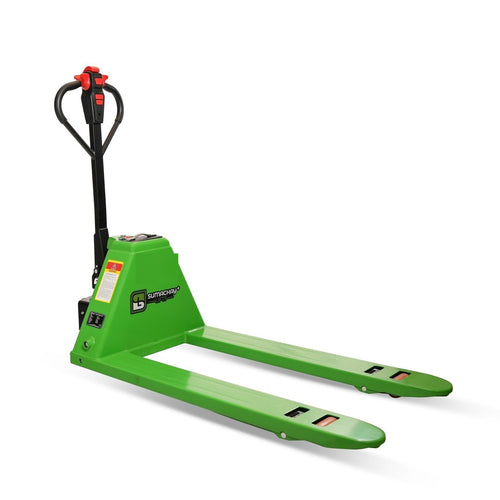
Transpalette électrique au lithium SESR15+ — 3 300 lb
$1,950.00
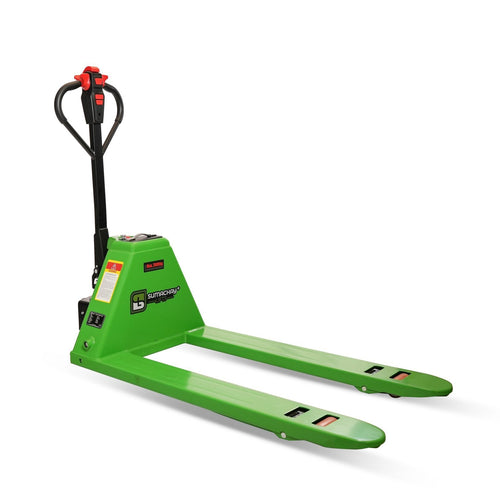
Transpalette électrique au lithium SELR20+ — 4 400 lb
$2,700.00
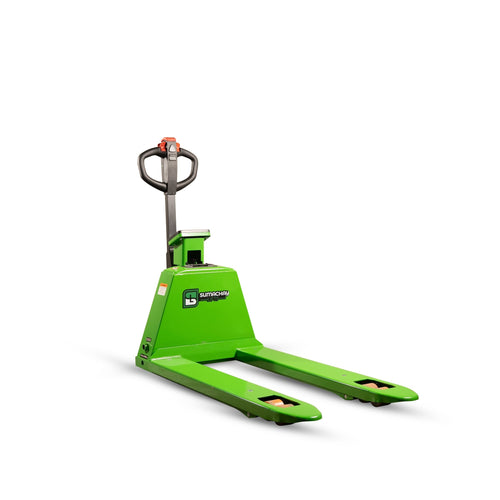
Transpalette électrique SELR20-S avec balance – Capacité de 4 400 lb
$3,500.00
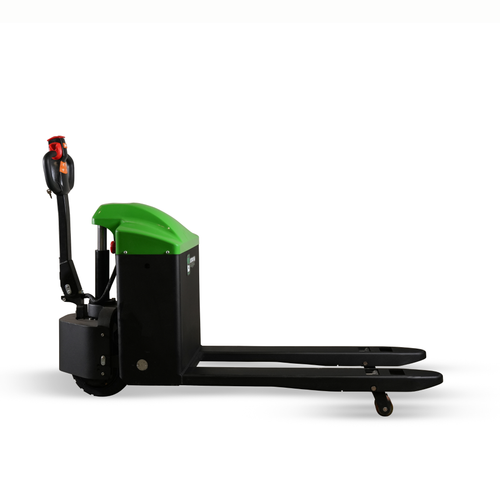
Transpalette électrique tout-terrain SEOR30
$5,000.00
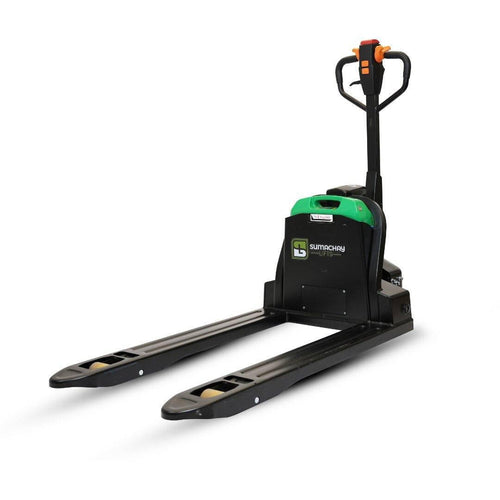
Transpalette électrique au lithium SESR15 3300 lb
$1,750.00
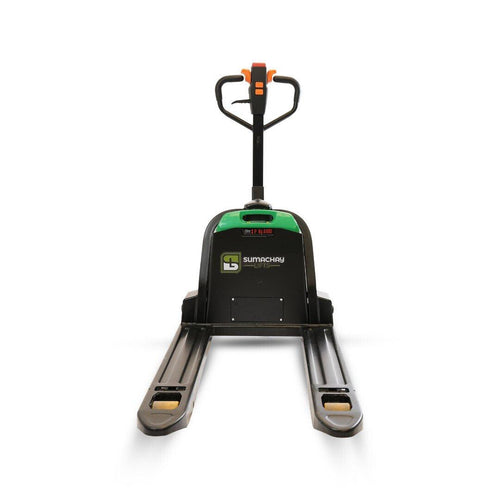
Transpalette Électrique au Lithium SELR20 de 4400 lb
$2,300.00
Last reviewed: October 2026